Microsoft announced that a new key feature, SIP Gateway, is now GA in Teams as of December 6, 2021. With this new feature, businesses will be able to repurpose their existing 3rd party SIP phones in order to have a smoother transition into native Teams phones without a steep initial hardware investment.
The full details are available in this Microsoft blog post:
How do you know if your tenant has this featrue enabled?
- Go to Teams Admin Centre
- At the left, select Teams devices and see if the SIP devices tab is visible. If it is, the SIP Gateway service is enabled for your organization.
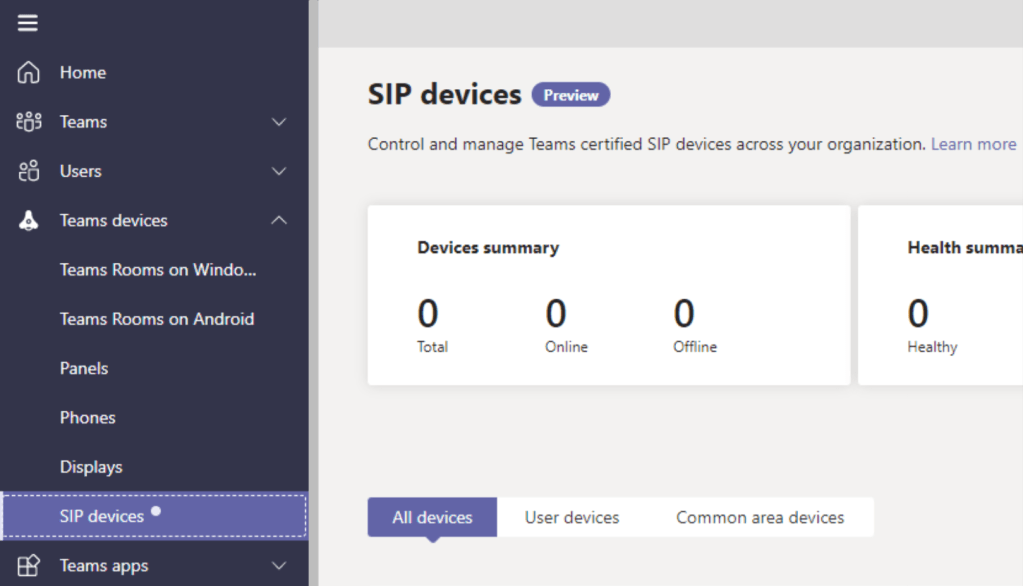
Then, you will need to enable it in a Calling Policy.
- Go to Teams Admin Centre
- Go to Voice\Calling Policies
- Select a Calling Policy, or create a new one if requried
- Turn on the setting for SIP devices can be used for calls, and then select Save.

Of course, you can also enable this via PowerShell.
Set-CsTeamsCallingPolicy -AllowSIPDevicesCalling $True
The Microsoft provided SIP provisioning servers are:
- EMEA: http://emea.ipp.sdg.teams.microsoft.com
- Americas: http://noam.ipp.sdg.teams.microsoft.com
- APAC: http://apac.ipp.sdg.teams.microsoft.com
You can use DHCP Scope Options (option 66) to automatically dish out the URLs.
Alternatively, you can also configure it on the SIP phones manually.
More details are available in this Microsoft doc:
 Sho Time